

PayPal Explained: How Online Payments Work and How to Stay Safe
Online shopping and digital payments have changed how people buy products, pay for services, and send money. Instead of entering payment details on every shopping website, many users prefer digital wallets that help manage payment methods in one place. PayPal is one of the well-known services in this category.
PayPal allows eligible users to make online payments, receive money, and manage transactions through supported accounts and services. However, its features, fees, account requirements, and availability can vary by country.
This guide explains how PayPal works, how to use it more safely, and what buyers and sellers should understand before relying on it.
1. What Is PayPal?
PayPal is a digital payment service that allows users and businesses in supported markets to send, receive, and manage payments electronically.
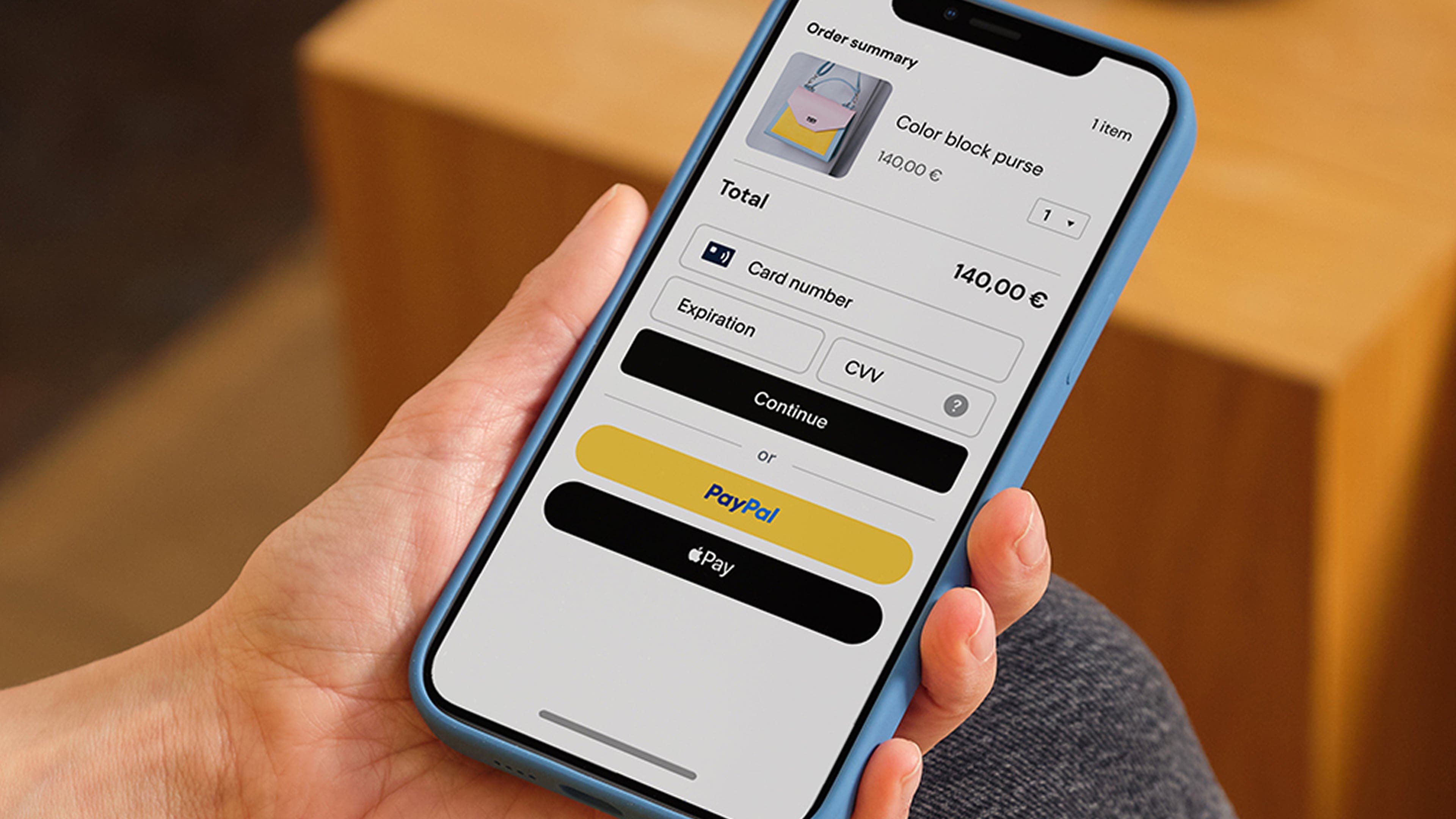
Instead of sharing full card or bank details with every merchant, a customer may be able to choose PayPal at checkout and complete the payment through their PayPal account. The payment options available depend on the user's country, account status, and the merchant's checkout settings.
PayPal also provides tools for businesses that want to accept online payments. These tools can help merchants manage transactions, refunds, and payment activity.
It is important to understand that PayPal is not a traditional bank in every country. Its legal status, account features, and financial services depend on local regulations and the terms that apply to the user's location.
2. How Does PayPal Work?
PayPal acts as an intermediary payment service between participating customers and merchants. A user creates an account in a supported country and, where available, links an eligible payment method.
When shopping online, the customer can select PayPal at checkout if the merchant supports it. The customer then reviews the transaction and confirms the payment using the available account options.
The merchant receives the payment notification through the relevant PayPal service. The transaction can then appear in the account's activity or transaction history.
The exact process may differ depending on whether a payment is funded by a balance, linked card, bank account, or another supported method.
3. How to Create a PayPal Account
Account registration is available only in countries and regions supported by PayPal. Before signing up, check the official PayPal website for your country and review the account requirements.
A typical registration process includes these steps:
- Visit the official PayPal website for your country.
- Select the option to sign up.
- Choose the account type available for your needs.
- Enter the requested personal or business information.
- Provide an email address and create a strong password.
- Complete any identity or account verification steps requested by PayPal.
- Add an eligible payment method if the service supports it in your region.
Never use false identity information or another person's documents to create an account. Incorrect information can lead to verification problems or account restrictions.
4. How to Pay Online with PayPal
If a shopping website supports PayPal, it may appear as one of the payment options during checkout.
A general payment process looks like this:
- Choose the products or services you want to purchase.
- Continue to the merchant's checkout page.
- Select PayPal if it is offered.
- Sign in through the official PayPal payment flow.
- Review the recipient, amount, currency, and payment method.
- Confirm the transaction only after checking the details.
Always make sure that the payment recipient and total amount are correct. PayPal explains that some payments cannot simply be cancelled or reversed after they have been sent, so reviewing the transaction before confirmation is important.
5. What Is PayPal Purchase Protection?
PayPal offers a Purchase Protection program for certain eligible transactions. Depending on the applicable terms, a buyer may be able to open a dispute if an eligible item does not arrive or is significantly different from its description.
However, protection is not automatic for every payment or purchase.
Eligibility depends on factors such as the transaction type, the account's status, the product or service involved, the relevant country, and compliance with PayPal's dispute process.
For example, PayPal's published terms require eligible buyers to follow the Resolution Center process and provide requested information within the applicable timeframe.
Before relying on this feature, read the Purchase Protection terms that apply to your country. Do not assume that every transaction, personal payment, or service is covered.
6. PayPal Security: How to Protect Your Account
Digital payment accounts can be attractive targets for scammers. A secure password and careful account habits can reduce the risk of unauthorized access.
Here are practical precautions:
Use a strong, unique password. Avoid using the same password on PayPal and other websites. A password manager can help you create and manage unique passwords.
Enable available security verification. Use the additional authentication options offered by PayPal in your region.
Never share verification codes. Do not give your password, PIN, or one-time verification code to anyone claiming to be customer support.
Check website addresses. Open PayPal by typing its official address into your browser or using its official application. Be careful with payment links received through unexpected emails or messages.
Review account activity. Check your transactions regularly and contact PayPal through its official support channels if you notice activity you do not recognize.
Keep your devices updated. Install operating system, browser, and security updates to reduce exposure to known vulnerabilities.
7. Common PayPal Scams to Avoid
Scammers sometimes imitate payment companies to make messages look trustworthy. Their goal may be to steal login information, personal details, or money.
One common trick is a fake payment confirmation email. A seller may receive a message claiming that a buyer has paid, even though no payment appears in the actual account.
Another tactic involves fake account warnings. A message may claim that an account will be suspended unless the user clicks a link and enters sensitive information.
Some scammers also send fake customer support messages or ask users to pay an unexpected fee before receiving money.
To reduce these risks, do not trust an email or screenshot as proof of payment. Open PayPal independently and check the transaction inside the account. Never send money simply because someone claims it is required to unlock a payment.
8. PayPal Fees and Currency Conversion
PayPal fees depend on the type of transaction, account location, payment method, currency, and whether the payment is domestic or international.
Some personal transactions may have different fee rules from commercial payments. Sellers may also face transaction fees when accepting payments for goods or services.
Currency conversion can introduce additional costs when a payment involves different currencies. The exchange rate and conversion charges should be reviewed before confirming a transaction.
Because fee schedules can change, use the official PayPal fee information for your country instead of relying on an old online calculation.
9. PayPal for Personal Use vs Business Use
Personal and business accounts are designed for different payment needs.
A personal account may be suitable for eligible individual activities such as shopping online or sending certain personal payments where those services are supported.
A business account is designed for merchants and organizations that want to accept customer payments and use business payment tools.
Businesses should review transaction fees, dispute responsibilities, record-keeping requirements, and the rules for the country where the account is registered.
A business should also understand that receiving a payment does not automatically mean the transaction is protected against every dispute or reversal.
10. Is PayPal Available in Every Country?
No. PayPal's availability and features differ by country and region.
Some countries support a wider range of services, while others may have limited functionality or may not support account registration at all.
Before creating an account, check PayPal's official country-specific website and current user agreement. Do not rely on instructions that suggest changing your location or using inaccurate personal details to bypass regional restrictions.
11. Final Thoughts
PayPal can make online payments more convenient for users and businesses in supported regions. Its digital wallet features, transaction history, and eligible protection programs can be useful when understood correctly.
However, users should not assume that every payment is reversible, every purchase is protected, or every feature is available worldwide.
The safest approach is to use official PayPal services, review transaction details before paying, protect account credentials, and understand the rules that apply to your country.
By following these basic precautions, users can make more informed decisions when using digital payment services.